
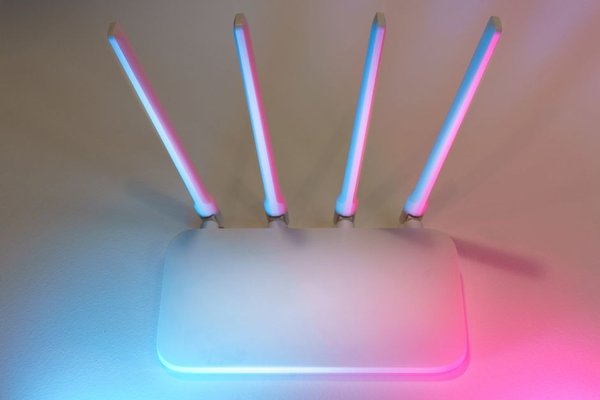
A router promising three wireless bands can sound like an obvious upgrade over a dual-band model. More bands must mean faster internet, right? Not necessarily. The real advantage of a tri-band router is having more room to handle wireless traffic, particularly when several devices or mesh units communicate at once.
For a household with a few phones, a laptop, and a smart TV, a solid dual-band router may work just as well. Understanding what the third band does is the easiest way to avoid paying for capacity you will never use.
What Does Tri-Band Mean on a Router?
A tri-band router provides three wireless radios or band connections for Wi-Fi traffic. Instead of having every compatible device compete for time on one 5 GHz radio, the router may spread connections across two. Think of opening another checkout lane: shoppers do not move faster individually, but fewer wait in the same line.
That does not triple your internet speed. Each device still has its own Wi-Fi capabilities and signal limitations, while your broadband plan continues to limit internet downloads.
Which Three Wi-Fi Bands Are Included?
There are two common arrangements, and they are not interchangeable. Checking the specification sheet is more useful than relying on “tri-band” on the box.
Older Design: 2.4 GHz + 5 GHz + 5 GHz
Many Wi-Fi 5 and Wi-Fi 6 tri-band routers use one 2.4 GHz band and two separate 5 GHz radios. The 2.4 GHz connection generally reaches farther and suits older or low-bandwidth devices. The two 5 GHz radios can divide high-demand connections, reducing competition for airtime.
This arrangement does not provide 6 GHz Wi-Fi. It can still help where numerous devices share 5 GHz spectrum or one radio serves a wireless mesh connection.
Newer Design: 2.4 GHz + 5 GHz + 6 GHz
Many Wi-Fi 6E and Wi-Fi 7 tri-band products instead offer radios on the 2.4, 5, and 6 GHz bands. The 6 GHz band provides additional spectrum and room for wide channels, helping compatible devices avoid congested 5 GHz networks.
There are trade-offs. Devices must support Wi-Fi 6E or Wi-Fi 7, and 6 GHz availability depends on regional rules and settings. Coverage can also be less forgiving through walls. An older phone cannot gain 6 GHz capability simply by connecting to a newer router.
Dual-Band vs Tri-Band in Daily Use
A dual-band router normally offers 2.4 GHz and 5 GHz connectivity. For browsing, video calls, and streaming, that combination is often enough. A modern dual-band Wi-Fi 6 router can serve many devices efficiently, so band count alone is a poor measure of quality.
Tri-band Wi-Fi becomes interesting when your local wireless network is busy. Imagine two people on video meetings, a console downloading a game, and several laptops transferring files. Splitting compatible devices across additional radios can reduce competition for the same airtime.
If the real problem is slow broadband, a weak signal in the back bedroom, or interference from neighbors, a third band may not solve it. Those issues call for different fixes.
Why the Third Band Matters in Mesh Wi-Fi
Mesh Wi-Fi uses multiple access points to serve different parts of a home. When those units connect wirelessly, they need capacity for their own traffic as well as traffic from phones and computers. The link between mesh units is called backhaul.
Some tri-band mesh systems dedicate one radio, often a second 5 GHz radio, to backhaul. This can leave more capacity for devices than a comparable system sharing one radio for both jobs. Other systems use shared or dynamically selected backhaul, so the exact design matters.
With Ethernet cables between mesh nodes, wired backhaul can remove much of that wireless burden. A good dual-band mesh setup may then offer better value than an expensive tri-band package.
When Is a Tri-Band Router Worth Buying?
Picture a family in a two-storey home using wireless mesh nodes. One person uploads work files while another plays online games and others stream video. A well-designed tri-band mesh system may have an advantage because backhaul and client traffic have more flexibility.
A tri-band Wi-Fi 6E or Wi-Fi 7 router also makes sense when you own several compatible laptops or phones, use them near the router, and transfer large files over your local network. Accessible 6 GHz spectrum can be useful there.
When Dual-Band Is the Better Buy
In a small flat with modest network activity, a reliable dual-band model may be enough. The same applies if your equipment supports only 2.4 or 5 GHz and your current Wi-Fi works smoothly.
Device count is not the same as demand. Ten smart plugs exchanging tiny messages are different from several computers making sustained wireless transfers. A home full of connected gadgets does not automatically need a third radio.
If one room has poor reception, try a central, open router position or a properly placed access point. Our guide to router placement for better Wi-Fi coverage offers more ways to tackle this problem.
What to Check Before You Choose
Look Beyond the Combined Speed Number
Manufacturers often add theoretical rates from multiple bands into one headline figure. A single device does not normally receive that total. Wi-Fi 7 Multi-Link Operation can use more than one link with compatible equipment, but real performance still depends on support and conditions.
Match the Bands to Your Devices
Check whether the third radio is another 5 GHz connection or a 6 GHz connection. Then check the specifications of your busiest devices. Our explanation of 2.4 GHz vs 5 GHz vs 6 GHz Wi-Fi can help clarify the differences.
Check Your Mesh Backhaul Options
Find out whether the extra radio is reserved for backhaul, shared with clients, or managed automatically. If your home has Ethernet cabling, compare wired alternatives first. Our guide to mesh Wi-Fi vs Wi-Fi extenders can help with coverage decisions.
Frequently Asked Questions
Is a tri-band router faster than a dual-band router?
Not always. It can improve total wireless capacity in busy situations, but a single device may see little difference. Router quality, signal strength, client capabilities, and broadband speed still matter.
Does tri-band Wi-Fi always include 6 GHz?
No. Some models use 2.4 GHz plus two 5 GHz radios; others use 2.4, 5, and 6 GHz. Check listed frequencies rather than assuming every tri-band product supports 6 GHz.
Will a tri-band router fix dead zones?
Not by itself. Coverage depends on placement, building materials, and access-point locations. A properly positioned mesh node or wired access point may be more effective than another radio in the same spot.
Do all my devices need to support tri-band Wi-Fi?
No. Older devices can connect using their supported bands. However, only devices with appropriate hardware can access 6 GHz, and an older device does not become faster just because the router has extra radios.
The Bottom Line
A tri-band router is primarily a capacity tool, not a shortcut to faster broadband. It is worth considering for busy households, wireless mesh networks, and homes with devices that benefit from 6 GHz. If your current dual-band router handles your daily activity smoothly, keeping it may be the smartest decision.