
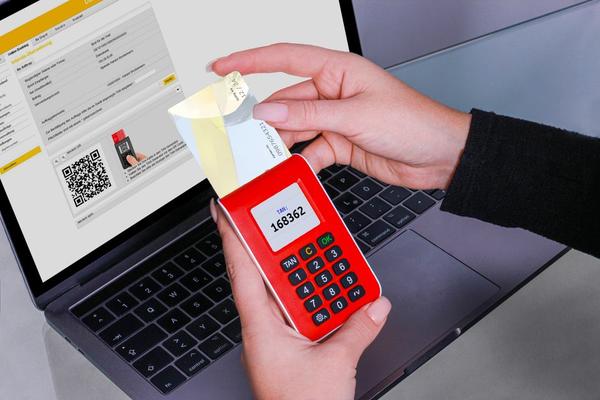
A stolen password does not have to become a stolen account. That is the main reason two-factor authentication matters: it adds another check after your password, so an attacker usually needs something else you control before signing in. This two factor authentication guide explains how the common options work, which methods provide stronger protection, and how to set them up without creating recovery problems.
What two-factor authentication actually changes
Authentication factors usually fall into three groups: something you know, such as a password or PIN; something you have, such as a phone or security key; and something you are, such as a fingerprint or face scan. Two-factor authentication, or 2FA, combines two different checks. Multi factor authentication is the wider term for systems that require two or more factors.
Not every “two-step” login is equally strong. The goal is not simply to add another screen. It is to make a stolen password insufficient on its own.
Choose the strongest method your account supports
Security keys
A physical security key using FIDO or WebAuthn is one of the strongest widely available choices. You plug it into a device, tap it, or use NFC when signing in. Instead of giving you a code that can be copied, the key responds cryptographically to the legitimate website. That makes it resistant to common phishing attacks that try to capture credentials on a fake site.
For important email, administrator, work, and financial accounts, a security key is worth considering when supported. Registering a second key and storing it safely also gives you a backup.
Authenticator apps
An authenticator app commonly generates a short one-time code that changes about every 30 seconds. This avoids relying on your mobile number, so it is generally stronger than SMS against SIM-swap attacks. However, a one-time code can still be entered into a convincing phishing page and relayed by an attacker, so it is not phishing-resistant.
Some services use app-based push approval instead. If number matching is available, use it. You confirm a number shown on the login screen rather than simply tapping “Approve,” which helps reduce accidental approvals from repeated prompts.
SMS and email codes
SMS codes are better than password-only protection when stronger options are unavailable, but they have weaknesses. Attackers may hijack phone numbers through SIM swapping, and text messages are not phishing-resistant. Treat SMS as a fallback rather than your first choice.
Email codes can also be weak if the email account is already compromised or depends on the same credentials you are trying to protect. If a site offers only SMS or email verification, use the available protection, then upgrade when a stronger option appears.
Protect the accounts that can unlock everything else
Start with accounts that can reset passwords or expose sensitive information. Your primary email account should be near the top because password-reset messages for many other services arrive there. Next, protect your password manager, banking and payment accounts, cloud storage, major Apple, Google or Microsoft account, work logins, and social media profiles.
A useful rule is to ask: “If someone controlled this account, what else could they reach?” That question often reveals that an overlooked email or cloud account is more important than a frequently used entertainment account.
Set up 2FA without locking yourself out
Before finishing setup, check the recovery options. Save backup codes somewhere you can access if your phone is lost, damaged, or replaced. Do not leave the only copy on the same phone that holds your authenticator app. If the service supports multiple security keys or devices, register a backup while you still have normal access.
Review your recovery email address and phone number too. Remove old numbers, old devices, and addresses you no longer control. If your authenticator app supports encrypted backup or secure transfer, understand how it works before changing phones. Test your login once after setup so you know both authentication and recovery paths work.
Why the type of 2FA matters during phishing
Imagine an urgent message claiming your email account will be suspended. The link opens a page that looks genuine. You enter your password, then the page asks for the six-digit code from your authenticator app. If an attacker is relaying the login in real time, that code may also be stolen and used before it expires.
With a FIDO security key, the situation is different. Authentication is bound to the legitimate website, so the fake site cannot simply capture and replay a usable code. This is why security guidance prioritizes phishing-resistant authentication for high-value accounts rather than treating every second factor as equivalent.
Make 2FA part of everyday account security
Never approve an unexpected sign-in prompt. Do not share verification codes with anyone who contacts you, including someone claiming to be support staff. When a login request surprises you, change the password from the service’s official app or website and review recent sessions or devices.
2FA works best alongside unique passwords and careful phishing habits. Related internal guides on password manager basics, how to spot phishing emails, and what to do after a data breach fit naturally with this topic because each layer covers a different failure point.
Frequently asked questions
Is an authenticator app better than SMS?
Usually, yes. Authenticator apps do not depend on your phone number, so they avoid some risks associated with SIM swapping and mobile networks. One-time app codes can still be phished, however, so a FIDO security key is stronger when available.
What happens if I lose my phone?
You may be able to use backup codes, another registered device, a second security key, or the service’s recovery process. Set these options up before you need them and keep recovery codes somewhere separate from the lost device.
Should I enable 2FA on every account?
Enable it wherever practical, but prioritize email, password managers, financial services, cloud storage, work accounts, and any account that can reset others. Use stronger methods first on the accounts with the greatest consequences if compromised.
Does 2FA make an account impossible to hack?
No. It greatly reduces the value of a stolen password, but it does not stop every threat. Phishing, malware, stolen sessions, weak recovery settings, and compromised devices can still matter. Use 2FA as one layer in a broader account-security approach.
A stronger second step is worth the small inconvenience
The best 2FA method is the strongest one you can reliably use and recover. Prefer phishing-resistant security keys for high-value accounts, use authenticator apps when keys are not supported, and treat SMS or email codes as fallback choices. Once your most important accounts have a second layer, a password leak is far less likely to turn directly into account takeover.