
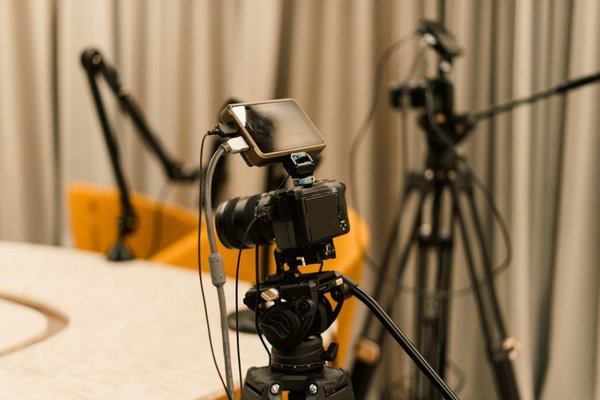
A sharp 4K image cannot rescue dialogue that sounds distant or muffled. Camera audio depends less on an impressive specification than on where the microphone sits, what it hears, and how it connects. The main camera microphone types solve different recording problems: shotguns focus on a subject, wireless lavaliers keep voices close, and stereo microphones capture a sense of space.
Before buying, decide whether your video needs clear speech, natural ambience, or both. That choice matters more than choosing the most expensive accessory.
Shotgun Microphones: Focused Sound for Video
A shotgun mic for camera use is directional, often built around a slotted interference tube. Its design reduces some off-axis sound, particularly at higher frequencies. That helps isolate dialogue in front of the lens, but it does not zoom into sound or make a distant voice behave like a close recording.
Compact shotguns can attach to a camera through a shock mount. Larger models can sit on a boom pole just outside the frame. A boom positioned above an interviewee may sound fuller than the same microphone mounted several metres away on the camera.
Shotguns suit interviews, events, and short films where subjects stay near the microphone’s axis. They can sound less natural indoors when reflected sound reaches the interference tube from different directions. In a reverberant kitchen, moving the microphone closer often helps more than choosing a longer shotgun.
Wireless Lavalier Microphones: Freedom to Move
A wireless camera mic system typically has a microphone or built-in capsule on a transmitter worn by the speaker, plus a receiver feeding the camera. A separate lavalier can clip discreetly to clothing. Because the capsule stays near the mouth, speech remains more consistent when the person turns away or walks across a room.
Wireless kits are useful for tutorials, wedding speeches, and moving interviews. Some support two transmitters, separate channels, or internal backup recordings; capabilities vary by model. Check batteries, receiver output, local radio rules, and whether your camera supports the intended recording arrangement.
Wireless does not mean interference-free. Nearby radio activity, body blocking, or excessive distance can cause dropouts. A short test and available backup track are sensible safeguards for anything you cannot reshoot.
Stereo Microphones: Recording the Scene
A stereo microphone captures left-right differences using two microphone elements or another stereo arrangement. Those differences make passing traffic, applause, and birdsong feel wider and more spatial than a single mono track.
For a travel montage, a stereo mic can preserve the movement of a crowded market. It is less suitable as the only microphone for a distant presenter, since a spacious recording may make speech harder to distinguish. Stereo recording is about perspective, not automatically greater clarity.
Compare stereo models by arrangement, wind protection, and compatibility with your camera’s stereo input. Recording ambience separately from dialogue gives you more editing flexibility.
Compact On-Camera Microphones
Not every on-camera microphone is a shotgun. Small directional units are popular for vlogging because they are lightweight, quick to mount, and often more controllable than built-in microphones. Some use cardioid or supercardioid capsules rather than long interference tubes.
They work best when the speaker stays near the camera. A shock mount reduces handling vibration; a furry windscreen helps with outdoor gusts. Neither eliminates every unwanted sound, and a microphone pointed with the camera cannot follow a speaker who turns away.
Understanding Pickup Patterns
A pickup pattern describes the directions from which a microphone is most sensitive. Omnidirectional lavaliers capture sound broadly, helping speech remain steady as the wearer moves their head. Cardioid microphones favour the front and reduce pickup from behind. Supercardioid and shotgun designs provide narrower forward focus, although some sensitivity remains at the rear.
No pattern wins in every situation. An omnidirectional lavalier near the mouth may outperform a distant directional mic. Choose the pattern around actual microphone placement, not promises to cancel all background noise.
Camera Audio Input and Connector Compatibility
Check your camera audio input before buying. Many mirrorless cameras accept a 3.5 mm TRS microphone connection; some provide no external microphone socket. A shoe mount alone does not confirm that audio can travel through the shoe.
TRS camera connections and TRRS smartphone headset connections are not always interchangeable; you may need the correct adapter. Professional XLR microphones require suitable XLR equipment. Some camera systems support microphones through dedicated digital accessory shoes, but compatibility depends on the exact devices.
If the camera lacks an input, use a separate recorder or microphone with internal recording, then synchronise sound in editing. A hand clap at the start creates an alignment point. Camera microphone input settings are also worth checking before a shoot.
Power, Levels, and a Practical Test
Some compact condenser microphones use plug-in power through a compatible 3.5 mm input, typically a few volts. Others have batteries. Certain professional condenser microphones need 48 V phantom power through appropriate XLR equipment. The two power systems are not interchangeable, so consult both manuals.
Imagine filming a cooking demonstration. A camera-top shotgun might capture clattering pans, while a wireless lavalier keeps instructions intelligible as the presenter moves between the hob and counter. Separate stereo recordings of sizzling food can add atmosphere later without overwhelming the voice.
Secure cables, fit wind protection, and record a test at the loudest expected speaking level. Watch meters for clipping, monitor through headphones if available, and check that the right channels receive sound. Understanding camera video settings and frame rates can help complete the production setup.
Frequently Asked Questions
Is a shotgun better than a wireless lavalier?
Neither is always better. A well-positioned shotgun suits subjects who cannot wear a microphone. A wireless lavalier usually suits moving presenters because the capsule remains close to their voice.
Can I plug any microphone into my camera?
No. Confirm the connector, signal type, power requirements, and compatibility. A 3.5 mm socket might be intended for headphones, while digital accessory shoes may support only selected devices.
Should dialogue be recorded in stereo?
Clear mono dialogue is often easier to manage. Stereo is particularly useful for ambience. Two-person wireless systems may also record separate mono microphones on different channels, depending on their settings.
Will an external microphone remove wind noise?
Not by itself. Proper wind protection, sheltered positioning, and microphone placement help. Strong gusts can still overwhelm a recording, so test outdoor audio before the full take.
Choosing the Right Camera Microphone
Choose a close-positioned shotgun for controlled dialogue, a wireless lavalier for moving speakers, a stereo microphone for atmosphere, or a compact on-camera model for simple handheld shooting. Confirm connections and power, make a test recording, and adjust placement. Good microphone technique often provides the most noticeable audio upgrade.