
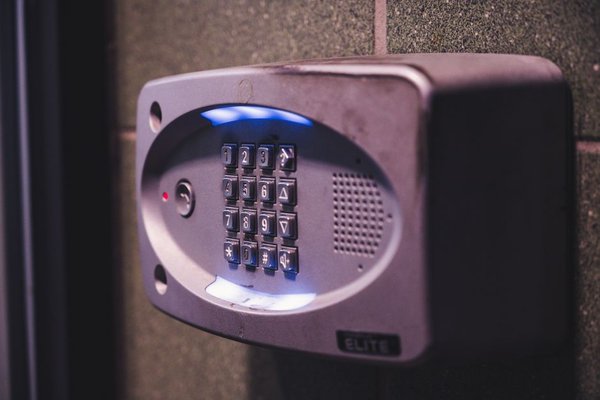
Giving someone your front-door code is easy. Giving them the right amount of access to your connected home takes more thought. A visiting relative may need the door lock, lights and thermostat. A dog walker needs the entrance, but probably not your cameras. A house sitter might need several devices for a week without becoming a permanent administrator.
Smart home guest access works best when you treat each permission as a household key: give it to the right person, limit what it opens and take it back when the visit ends. The aim is convenience without accidentally sharing personal information or permanent control.
Start with the person’s actual needs
Before opening an app, write down who needs access, which devices they must use and when they need them. This prevents the common mistake of inviting everyone as a full household member simply because it’s convenient.
A family member living with you may need ongoing shared smart home control. A weekend guest may only need lights and a door code. A cleaner who visits on Tuesdays needs entry during scheduled hours, not unrestricted access every day.
Consider what an invitation might reveal. Depending on the platform, membership can expose camera feeds, device activity, routines or your home’s address. Check the role description rather than assuming a “member” label means access is tightly limited.
Choose the safest way to share control
Use individual accounts, not your own login
Where supported, invite each person using their own account. Never hand over your primary app password or sign in with an administrator account on someone else’s phone. Individual invitations make access easier to revoke if circumstances change or a phone is lost.
Enable two-factor authentication where available and keep phones and smart-home apps updated, particularly when a phone can unlock a door.
Understand the platform’s permissions
Apple Home distinguishes residents from guests. Residents can control accessories broadly, while supported guest access can be limited to selected doors, locks and security accessories on a schedule. Guest access requires compatible equipment and a home hub; it does not offer guest permissions for every light or speaker.
Google Home offers Admin and Member roles. Members can have Settings and Activity permissions separately controlled, but basic access can still include controls you might consider sensitive. Review what each permission allows before inviting someone.
Manufacturers’ apps work differently. Some offer device-level sharing; others provide only broad household membership. If a role is too powerful, a separate lock code or physical key may be safer than granting app access.
Set up temporary smart lock codes carefully
Temporary smart lock codes are often the simplest option for cleaners, pet sitters and short stays. Many compatible locks support a separate code for each person, sometimes with start dates, expiration dates or recurring access windows.
In the lock manufacturer’s app, find the users or access-code section and create a new code. Give it a recognizable label, such as “Tuesday cleaner,” then choose the narrowest usable schedule. Test the code while you’re home and check that its expiration behaves as expected.
Don’t assume every lock supports scheduling, that a scheduled code works offline or that changes reach a disconnected lock immediately. Capabilities depend on the model and connectivity. Read the manufacturer’s instructions before relying on any restriction for security.
Choose a unique, hard-to-guess code rather than a birthday. Share it privately, not in a large group chat, and never distribute the lock’s master programming code.
If you’re choosing hardware, a smart lock buying checklist should include individual user codes, easy revocation, reliable offline entry and access history where appropriate.
Check speakers, cameras and connected routines
Someone who can turn on hallway lights should not automatically gain access to doorbell recordings or alarm settings. Review your whole system before granting guest smart home access.
Voice assistants need their own review
Smart speakers may respond to anyone nearby for ordinary commands. Review personalized results, purchasing, calendars and voice recognition. Test what an unrecognized voice can request rather than assuming voice identification blocks every command.
Check automations too. Saying “good night” might switch off lighting, change the heating or activate an alarm. Guests should know which routine names are safe to use.
Keep sensitive devices separate
Restrict indoor cameras, security history and alarm administration to people who truly need them. Tell visitors about cameras in shared spaces and respect applicable privacy rules. Smart home camera privacy settings deserve a separate review before any long stay.
Visitors who only need internet access can use your router’s guest Wi-Fi if available. A separate network can reduce exposure of your primary network, but it does not itself manage permissions inside smart-home apps.
A practical house-sitter example
Imagine a friend staying from Friday evening until Monday morning to care for a cat. They need the front door, kitchen lighting and heating, but not indoor camera feeds or permission to invite new household members.
Create a named door code for those dates or use a supported guest invitation limited to the relevant lock. If lighting and heating require an app, check whether membership would expose other devices. Showing your friend how to use physical switches and thermostat controls may be safer than giving broad digital access.
Before leaving, test entry together, explain what happens during an internet outage and provide an emergency contact. On Monday, remove the code and temporary invitations, then verify they no longer work. That final check matters as much as creating the invitation.
Make access reviews a household habit
Every few months, open the members or users section of each app. Remove former house sitters, contractors and unused codes. Check device-specific apps as well: deleting someone from a central home platform may not remove credentials issued directly by a lock manufacturer.
Review access after replacing a phone, changing a hub or moving house. Check activity logs where supported, but remember that device records may be incomplete. Alongside permissions, securing your smart home Wi-Fi, updating devices and protecting accounts remain essential.
Frequently asked questions
Can guests control a smart home without my password?
Often, yes. Supported platforms let people join using their own accounts, and many smart locks offer separate entry codes. Both are preferable to sharing an administrator password.
Can I give a cleaner access once a week?
Some locks support recurring time windows suitable for weekly visits. Confirm that your specific model supports scheduling, test it and remove the code when the arrangement ends.
Does guest Wi-Fi stop someone controlling my smart devices?
Not necessarily. Network isolation and app permissions are separate. Someone with authorized cloud-app access may still control compatible devices from another network.
What should I do when a guest leaves?
Revoke app invitations, disable lock codes and check separate manufacturer apps for lingering access. If you’ve shared a common password, change it promptly.
Keep access useful and temporary
Safe sharing isn’t about granting the most features. Match permissions to a real task, test them before a guest arrives and make removal part of the plan. Individual accounts, carefully scoped lock access and regular reviews help visitors feel welcome without giving them the digital keys to everything you own.